Click and conversion tracking with profit per placement

GoTrack records every click on your tracking links, matches each conversion to the ad and placement that paid for it, sends it back to the ad platform you bought from and sets your ad spend against revenue. You see profit and ROI per source, campaign and zone. It is the tracker built into GoAdserver.
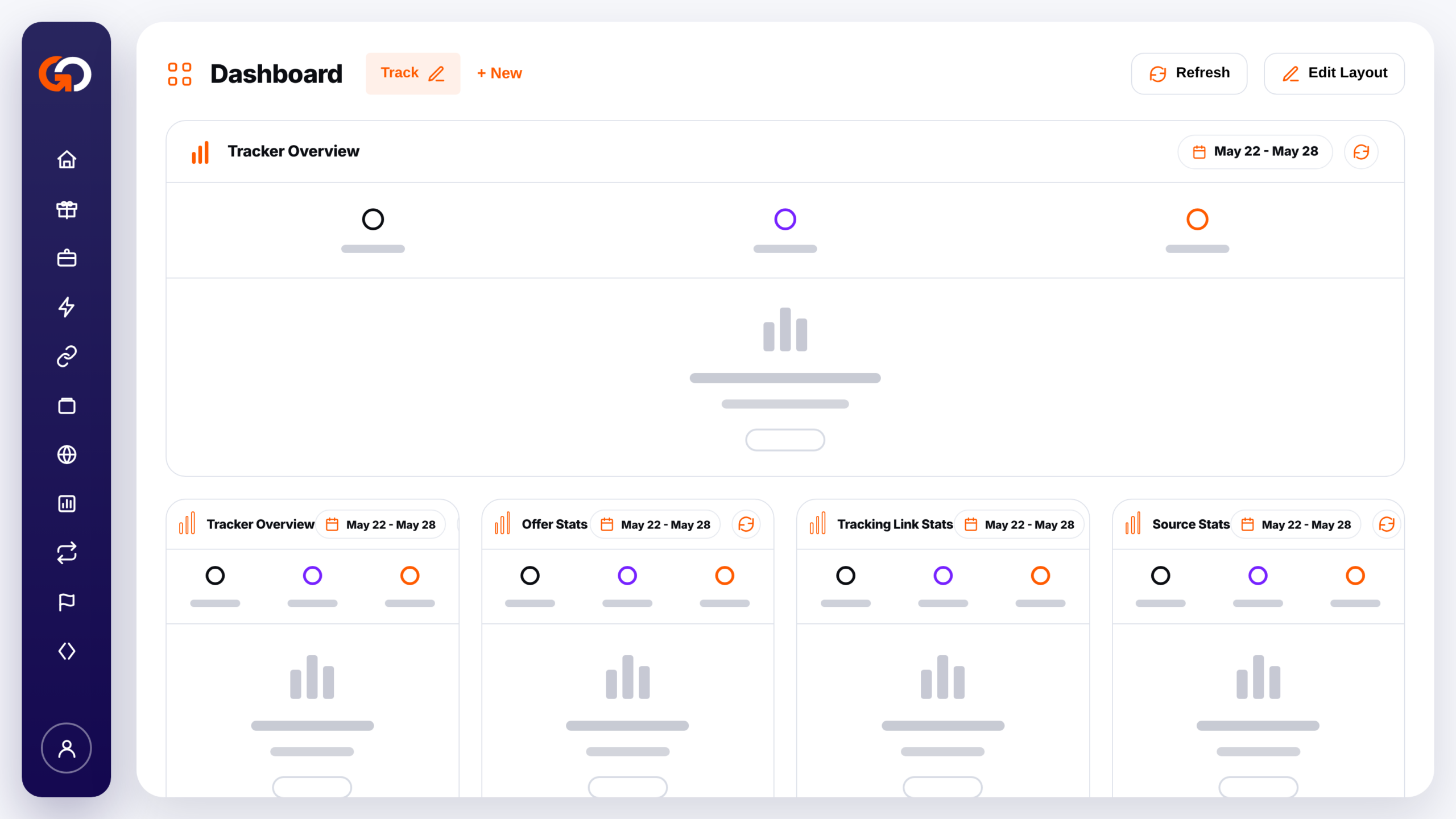
GoTrack tracker dashboard with overview, offer, tracking link and source panels

Everything between the click and the profit

One tracker for the whole loop: the link in your ad, the conversion from the offer, the signal back to the ad platform and the cost from your ad account.

Tracking links and smartlinks

Build a link per offer and traffic source with a live preview. Pick several offers and it becomes a smartlink: each click goes to the best-earning offer whose targeting fits the visitor, with a fallback offer for the rest.

Conversions in

Affiliate networks report conversions by server-to-server postback, with up to 26 labelled conversion types. Where S2S is not possible, use a pixel, iframe, JavaScript or Google Tag Manager snippet.

Conversions out

Send each conversion back to the platform you bought the click on: a postback URL for ad networks, or the Conversions APIs of Meta, TikTok, Snapchat, Pinterest, Microsoft, LinkedIn and Google.

Cost, profit and ROI

Connect your ad accounts and spend is imported every day, so profit, ROI, EPC and CPA sit next to clicks and conversions per offer, source, country and device.

Custom parameters

Pass up to 11 values per click, such as zone, creative or campaign. Name each slot and report on it, alone or split by traffic source.

Rules and media buying

Rules pause sources, change bids, alert you or block losing placements. Agentic Media Buying judges every placement on revenue against cost and acts within limits you set.

Every tracker tool in one panel

From offer setup and traffic sources to conversions, reports and automation, each part of the tracker has its own page.

Tracker Dashboard

A configurable start page with tracker overview, offer, tracking link and source panels. Add, resize and reorder them as you like.

Tracker Offers

Offers with destination URL, payout, conversion types, caps, geo targeting and a failover offer for when one is capped.

Affiliate Networks

Register the networks your offers come from, with 70+ templates that already know their postback macros, currency and payout format.

Tracking Links

Build, search and manage links by source, offer and tag. Bind a link to its campaign on the ad network for exact cost.

Traffic Sources

The platforms you buy from, each with its macro template and the conversions it should receive back.

API Integrations

Connect your accounts at traffic networks to import spend, watch your balance and let rules act on your campaigns. Every call is logged.

Tracker Reports

Overview, performance, clicks, GEO, devices and custom parameters, with cost, profit and ROI next to every number.

Tracker Postbacks

Postback URLs per affiliate network and conversion type, outbound postbacks per source, and a log of every call.

Conversion Snippets

Pixel, iframe, JavaScript and Google Tag Manager snippets for partners that cannot fire a server-to-server postback.

Automation Rules

Conditions on EPC, CPA, ROI and more that alert you, pause or activate sources, change bids or block placements.
GoTrack tracker tools: offers, links, sources, reports, postbacks and rules

Traffic sources, tokens and custom parameters

Every tracking link belongs to a traffic source, and the source decides which macros the ad platform fills in on each click.

40+ source templates

Social, search, native, push and pop presets, including Meta, Google, TikTok, Microsoft, Taboola, Outbrain, MGID, PropellerAds, Adsterra and ExoClick. Each fills in the platform's own click-ID and placement macros.

11 custom parameter slots

Pass zone, creative, campaign or anything else through subid and sid1 to sid10. Name a slot and it becomes a report column with that name, with a different name per source if you like.

Network defaults in one click

On placement networks the link builder offers to put the zone ID into the right slot, so placements from different networks land in one report you can compare.

Receive conversions the way each partner can send them

Each affiliate network gets its postback URL in its own macro format, from more than 70 templates or a generic one. Label up to 26 conversion types such as sign-up, deposit or sale, log every conversion, see refused postbacks with the reason, and hold suspicious ones for review before they count.

Send conversions back to the ad platform

Ad platforms optimise on the signals they get. GoTrack forwards the conversion types you choose to the source the click came from, and logs every call.

Conversions APIs

Meta Conversions API, TikTok Events API, the Snapchat, Pinterest and LinkedIn Conversions APIs, Microsoft Advertising offline conversions and Google Ads enhanced conversions, set per source and conversion type.

Postbacks to ad networks

For push, pop and native networks: a postback URL with the macros you need, such as click ID, payout, country, sub-IDs and conversion type.

A trace for every conversion

Open any conversion to see each postback it fired, with the URL and whether it succeeded. Refused inbound postbacks are listed with the reason.

Profit and ROI per offer, source, country, device and placement

Reports pivot around your offers: clicks, conversions per type, revenue, cost, profit, ROI, EPC, CR and CPA. Set the date range and filters once and every tab follows: Overview, Performance, Clicks, GEO, Devices and Custom Params, where any parameter can be split by traffic source.

Rules that watch your numbers for you

Set a threshold once. The tracker checks it every 5 minutes, hourly or daily, and reacts at the traffic source through the network's API.

Conditions you choose

EPC, CR, CPA, spend, profit, ROI, clicks or conversions over 1 hour to 7 days, per offer, source, campaign, ad group, ad or placement, with a minimum-clicks gate so a rule never fires on a handful of visits.

Actions at the network

Alert you, pause or re-activate a source at its traffic platform, change a bid by a percentage, or block the losing placements of a network campaign.

Safe by default

Every rule starts in record-only mode. A dry-run test shows how many targets match before you let it act, and every run is kept in the execution history.

Profit per placement, and Agentic Media Buying on top

Bind a tracking link to the campaign you run on a network and GoTrack sets your revenue against the network's own cost for every zone. Agentic Media Buying then blocks losing zones, adjusts bids and budgets, and asks before it acts, or acts within your limits.

Zone report with real cost

Revenue, cost, margin and CPA per placement, with the exact cost where the network reports it per zone and an estimate where it does not.

Off, Advise or Auto

Zone blocks, bids per placement, the campaign bid, the daily budget and country, device or hour exclusions each run Off, Advise (you approve proposals) or Auto, as far as the network allows. Unblocking always stays with you.

Through the network's API

Exact zone cost and blocking on Adsterra, PropellerAds, MGID, RichAds, Zeropark, HilltopAds, PopAds, Bidvertiser, Push.House, ExoClick, TrafficStars and TrafficJunky. Other networks get estimated cost and block proposals.

Who GoTrack is for

Anyone who pays for traffic and gets paid on conversions, or runs tracking for others.

Media buyers

See which source, campaign and placement makes money, block the ones that don't, and let the ad platform optimise on real conversions.

Affiliates

Keep offers and affiliate networks in one place, receive their postbacks from ready-made templates, and rotate offers with smartlinks.

Ad networks and agencies

Run tracking for your team and your clients on GoAdserver, with rights per tracker area and members limited to the traffic sources they work on.

Three-step setup. No painful migration

GoTrack is designed to get your operation running fast whether you are starting from zero or moving from another tracking tool. Most teams are live in under 10 minutes.

Connect your affiliate networks

Pick from 70+ pre-configured templates. Macro syntax and payout mapping are ready out of the box.

Set up your offers and sources

Add your offers, define conversion types and register your traffic sources. No complex configuration required.

Go live and start optimizing

Your tracking links are active, dashboards are running and reports are live. Start making decisions on real data from day one.

Part of GoAdserver

GoTrack is the tracker built into GoAdserver, the platform for buying, selling and serving traffic. Sign up for a tracker account, or switch the tracker on in your GoAdserver account. More on goadserver.com.

Sign up

Create a tracker account at panel.go-track.net and build your first tracking link in a few minutes.

Pricing

Billed by usage: clicks, tracker hits and conversion postbacks count as events in your GoAdserver plan. See the plans and how usage is counted.

Documentation

Step-by-step guides for tracking links, postbacks, Conversions APIs, rules and Agentic Media Buying in the GoAdserver docs.

Frequently asked questions

Setup, attribution, cost and how GoTrack fits your operation
What is GoTrack?
GoTrack is the click and conversion tracker of GoAdserver. It records clicks on your tracking links, receives conversions from affiliate networks, forwards them to the ad platforms you buy from, imports your ad spend and reports profit and ROI per offer, source and placement.
Server-to-server postbacks first. When a partner cannot fire S2S, the Conversion snippets page generates a 1x1 image pixel, a 0x0 iframe, a JavaScript snippet or a Google Tag Manager tag that reports to the same conversion endpoint. See Postbacks & Conversions.
Yes. Per traffic source and conversion type you can forward conversions to the Meta Conversions API, TikTok Events API, the Snapchat, Pinterest and LinkedIn Conversions APIs, Microsoft Advertising and Google Ads enhanced conversions, or to any postback URL. See how to send conversions to Meta.
Connect your ad accounts under API Integrations and spend is imported every day, for example from Facebook, Google Ads, TikTok, Taboola, Outbrain, PropellerAds, ExoClick or Adsterra. Profit and ROI are then calculated for you. See Ad Spend & Cost Tracking.
Yes. Placement rules block losing zones on a network campaign, and Agentic Media Buying judges every zone on revenue against cost and blocks, re-bids or proposes changes within the limits you set, on networks whose API allows it. See Agentic Media Buying.
Yes. You can use up to 26 conversion types (A to Z), each with your own label such as sign-up, deposit or sale, and see them side by side in your reports.
Your clicks run on the tracking domain of your account. Using a domain of your own is possible where your platform offers custom domains; contact us to set it up.
GoTrack is part of GoAdserver and is billed by usage: clicks, tracker hits and conversion postbacks count as events in your plan. See the GoAdserver pricing page.
No. It is for media buyers, affiliates, agencies and ad networks: anyone who buys traffic and gets paid on conversions, or runs tracking for clients.